
Download Remotly APK – remote desktop software, secure connection, 4K streaming, peer-to-peer transfer, biometrics login
Overview
Remotly is a freemium remote desktop application designed to provide secure, high-quality remote access between devices. It enables users to connect seamlessly from mobile devices to desktops or between PCs, supporting stable, low-latency connections with exceptional visual fidelity up to 4K resolution and HDR. The software is positioned as a versatile solution for professionals, remote workers, students, and individuals seeking reliable remote access for collaboration, technical support, or personal use.
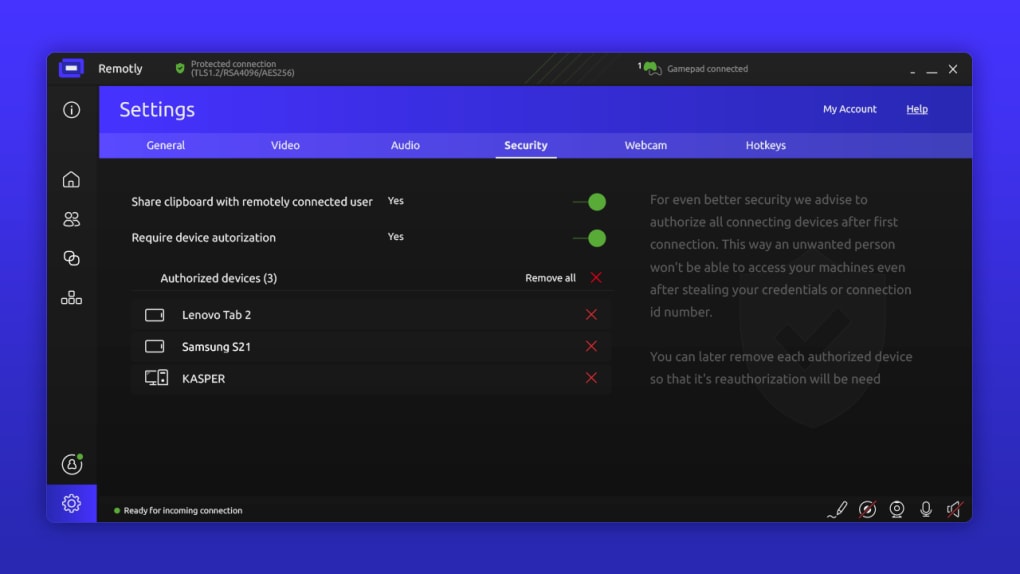
Its core purpose lies in simplifying remote device management while maintaining robust security and performance. The developer emphasizes privacy through advanced encryption standards, including end-to-end encryption, AES-256, TLS 1.2, and RSA-4096, along with hardware-based security via TPM 2.0 and two-factor authentication. These measures aim to prevent unauthorized access and data interception.
Remotly also supports unlimited peer-to-peer file transfer and high-speed media streaming, making it suitable for content sharing, remote presentations, and gaming. While the developer has not provided detailed information on system requirements or installation size, the software is available as an APK for Android devices. Users can access the platform through a free tier or various subscription plans, with flexible billing options including pay-as-you-go models.
The application is designed to function across different locations, supporting the “Connect Anywhere” feature to maintain accessibility regardless of physical location.
Key Features & Capabilities
- Secure Remote Access: Remotly enables encrypted connections between devices using end-to-end encryption, AES-256, TLS 1.2, and RSA-4096 protocols, ensuring data privacy during transmission.
- 4K and HDR Streaming: Supports high-resolution video output up to 4K and HDR, delivering sharp, vivid visuals for media and professional applications.
- Peer-to-Peer and Cloud Connections: Offers both P2P and cloud-based transfer methods, enabling fast, direct data exchange between devices with minimal latency.
- Hardware Video Encoding: Utilizes hardware acceleration to optimize video quality and reduce bandwidth usage, improving performance on lower-end devices.
- Unlimited File Transfer: Facilitates seamless sharing of large files and media without transfer limits, ideal for collaborative workflows and remote backups.
- Connect Anywhere: Allows users to access their devices from any location, supporting remote work and on-the-go management.
- Power-Saving Optimization: Includes features to reduce energy consumption during extended remote sessions, helping preserve battery life on mobile and portable devices.
- Flexible Subscription Plans: Provides free access with optional upgrades, including pay-as-you-go and tiered pricing, suitable for both personal and business use.
- Biometrics Login (Upcoming): Plans to integrate biometric authentication, enhancing security and convenience for future users.
These capabilities support real-world use cases such as remote IT support, virtual office collaboration, remote gaming, and educational remote learning. The combination of high-quality streaming, strong encryption, and flexible access makes Remotly a compelling tool for users requiring both performance and privacy.
User Interface, Workflow & Performance
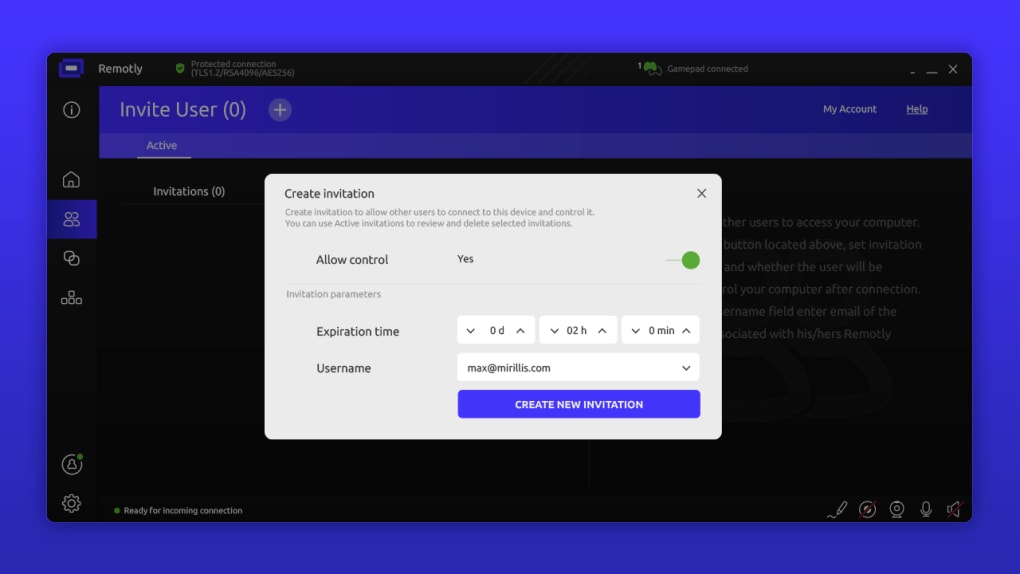
The user interface of Remotly is designed to streamline the remote access process, though specific details about layout, navigation, or visual design are not publicly available. Based on general software behavior, the workflow likely involves device pairing, connection initiation, and session management through a centralized dashboard. The application appears to prioritize ease of use with intuitive controls for managing multiple connections simultaneously.
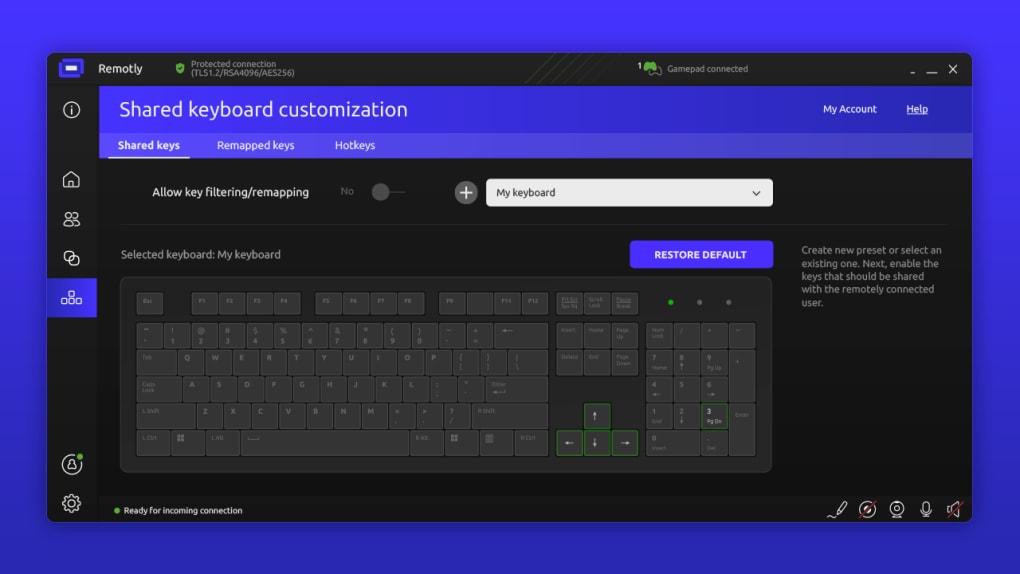
However, the developer did not specify whether the interface includes customizable layouts, keyboard shortcuts, or session presets. Performance details such as CPU or RAM usage were not provided. General observations suggest that the software leverages hardware video encoding to maintain smooth streaming, particularly during 4K and HDR sessions.
Stability and responsiveness are expected to depend on network conditions, with optimal performance requiring a stable internet connection. The application may experience delays or reduced quality under poor connectivity. The developer did not disclose information about crash rates, background processes, or long-term session reliability.
Users are advised to ensure consistent network performance to maintain the intended level of service. While the software includes power-saving features, exact impact on battery consumption remains unspecified.
Compatibility & System Requirements
Remotly is available as an APK, indicating it is designed for Android devices. The software supports remote access between Android devices and desktops, as well as between two PCs. However, the developer did not provide detailed information on supported operating systems beyond the Android platform.
Specific version numbers, installation size, or hardware requirements such as minimum RAM, processor speed, or GPU capabilities were not disclosed. The application may require a modern Android device with internet connectivity, but exact compatibility details are limited. The developer did not specify whether the software supports Windows, macOS, or Linux systems directly.
For users seeking to connect across platforms, the functionality may depend on additional components or client applications. The lack of clear system requirements means users should proceed with caution and verify compatibility based on their device specifications. The developer did not mention whether the software supports older Android versions or low-end hardware.
Pros and Cons
Pros
- High-quality 4K and HDR streaming for superior visual experience
- End-to-end and military-grade encryption for enhanced security
- Supports unlimited peer-to-peer file transfer and fast media sharing
- Flexible subscription models including free tier and pay-as-you-go options
- Hardware video encoding to reduce bandwidth and improve performance
- Power-saving features to extend battery life during remote sessions
- Connect Anywhere functionality for remote access from any location
Cons
- Learning curve may be steep for users with limited technical experience
- Limited information on system requirements and compatibility
- Exact performance metrics such as CPU/RAM usage not disclosed
- Only available as APK, restricting access to non-Android platforms
- Developer did not provide details on update frequency or long-term stability
FAQ Section
Is Remotly available for Windows and macOS?
The developer did not specify whether Remotly supports Windows or macOS systems. The software is currently available as an APK, primarily targeting Android devices.
Is Remotly safe to use?
Remotly implements strong security measures including end-to-end encryption, AES-256, TLS 1.2, RSA-4096, and two-factor authentication. These protocols are designed to protect user data and prevent unauthorized access.
Can I use Remotly without a subscription?
Yes, Remotly offers a free tier with basic functionality. Users can access core features without paying, though advanced capabilities may require a paid plan.
Does Remotly support offline usage?
Remotly requires an active internet connection to establish and maintain remote sessions. Offline usage is not supported.
How often are updates released?
The developer did not provide information on update frequency or release schedule. Users are advised to check the official source for the latest version.
Final Thoughts
Remotly stands out as a feature-rich remote desktop solution that balances security, performance, and flexibility. Its support for 4K HDR streaming, unlimited peer-to-peer transfers, and advanced encryption protocols makes it a strong contender in the remote access space. The freemium model with flexible pricing and pay-as-you-go options enhances accessibility for both individuals and businesses.
While the lack of detailed system requirements and limited platform availability may pose challenges for some users, the core functionality remains robust and well-suited for remote work, technical support, and multimedia sharing. The upcoming biometrics login feature signals a commitment to evolving security standards. Despite a potential learning curve for beginners, the software’s comprehensive toolset and emphasis on privacy make it a compelling choice.
For users seeking a secure, high-performance remote connection tool, Remotly delivers a powerful and future-ready experience.
Download Remotly APK now






.png)
